Download AGYNAMIX Invoicer
Try all features free for 30 days. No credit card required.
Download the full version of AGYNAMIX Invoicer for your platform. The 30-day trial gives you access to all features — no restrictions.
After the trial, choose the license tier that fits your workflow and keep everything you have built. Your data stays on your machine throughout.
⚠️ IMPORTANT: Please back up your data regularly. AGYNAMIX recommends exporting your documents before the trial ends so nothing gets lost.
Download for Windows
- Download the installer (.msi) or archive (.zip) below
- Run the .msi installer and follow the installation wizard
- Or extract the .zip archive to a folder of your choice
- Launch AGYNAMIX Invoicer from the Start menu or extracted folder
⚠️ Windows SmartScreen Warning
Since the application doesn't yet have a code-signing certificate, Windows SmartScreen will show a warning. This is normal for new applications. Here's how to proceed:
- When downloading, click Keep if the browser warns about an uncommon download
- When running the installer, Windows SmartScreen will appear. Click More info
- Then click Run anyway to proceed with installation
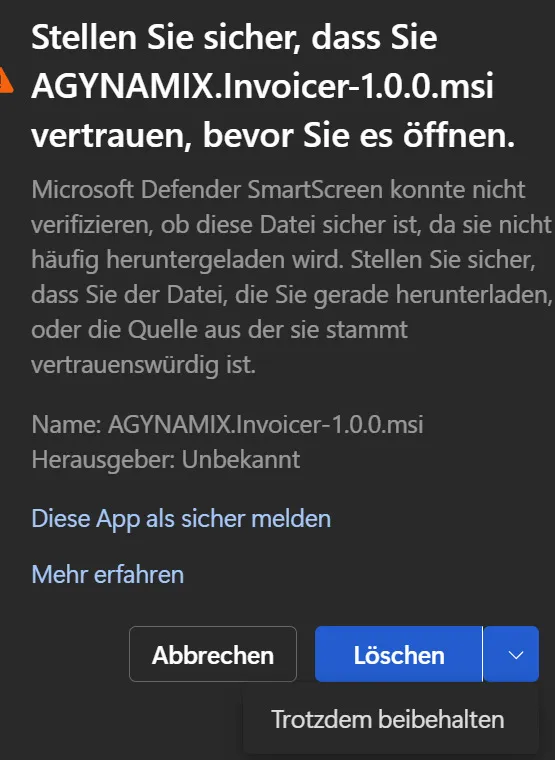
Step 1: Click 'Keep'
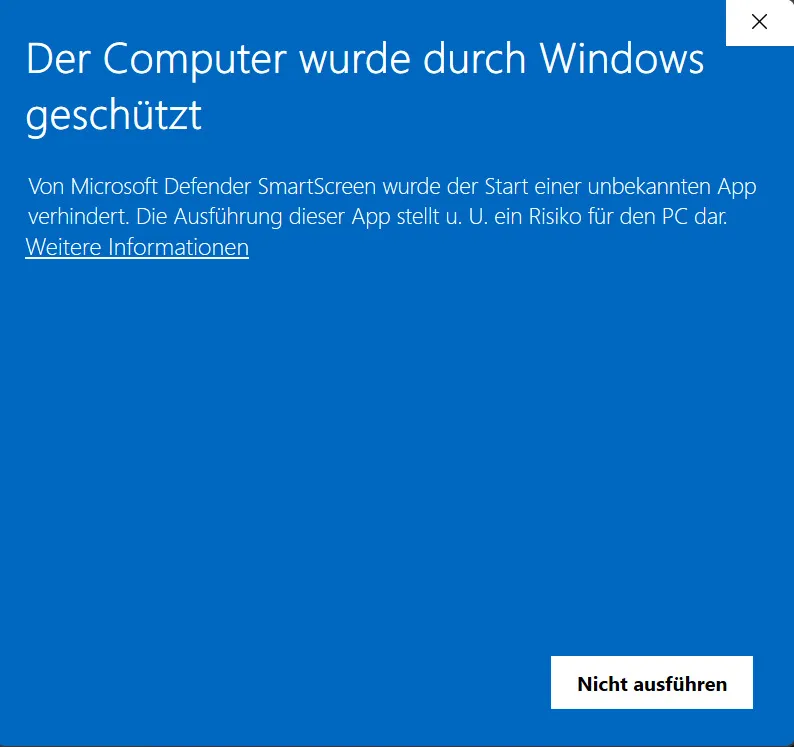
Step 2: Click 'More info'
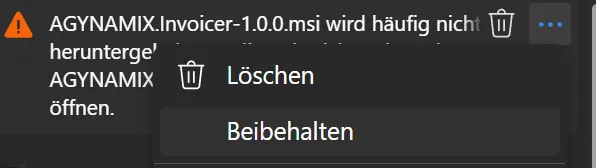
Step 3: Click 'Run anyway'
Download for macOS
- Download the .dmg package or .tar.gz archive below
- Open the .dmg file and drag AGYNAMIX Invoicer to your Applications folder
- Or extract the .tar.gz archive and move the app to Applications
- Launch AGYNAMIX Invoicer from your Applications folder
Troubleshooting for macOS 15 and newer
AGYNAMIX Invoicer requires network access and will ask for permission to access the local network on startup. If you deny that permission, network features will not be available. In rare cases on macOS 15 and newer, local network access may remain blocked even though the app is installed correctly. If AGYNAMIX Invoicer cannot establish network connections, check the Local Network setting for the app:
- Open System Settings → Privacy & Security → Local Network
- Look for one or more AGYNAMIX Invoicer entries
- Turn the switch off and back on for each AGYNAMIX Invoicer entry
- Start the application again and retry the network action
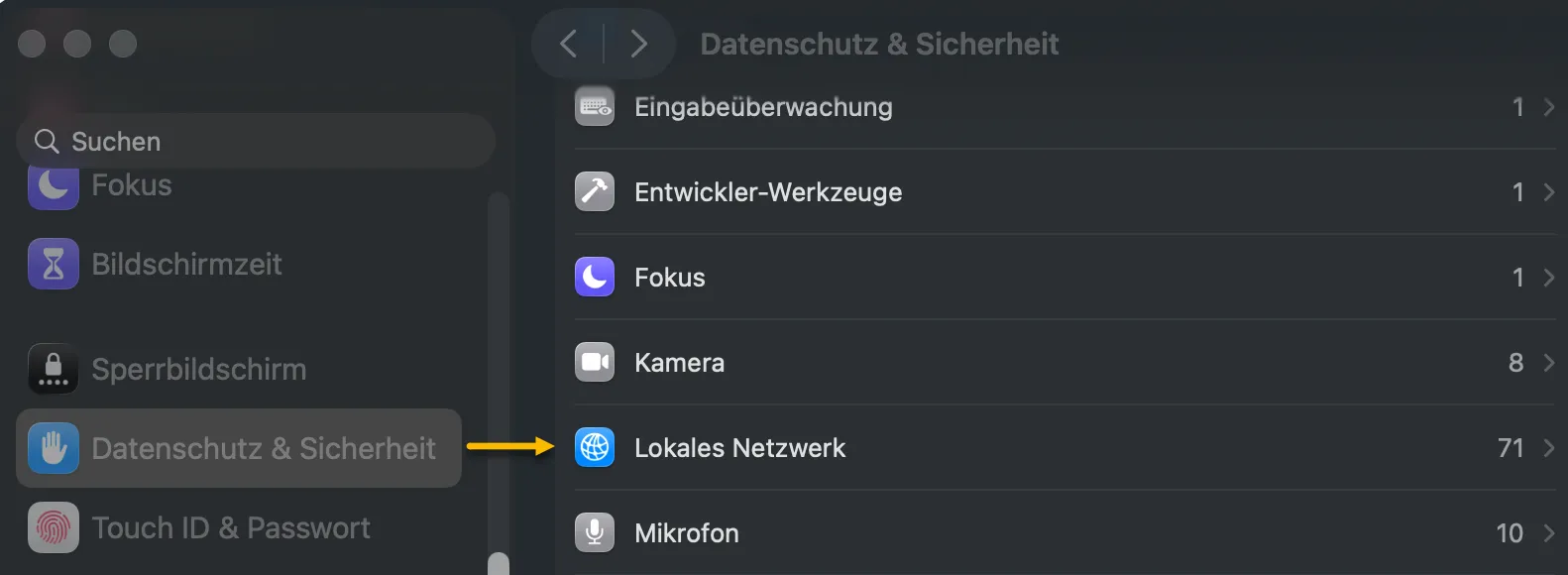
Placeholder: System Settings → Privacy & Security → Local Network

Placeholder: Toggle the AGYNAMIX Invoicer entry off and back on
Download for Linux
- Download the AppImage or .tar.gz archive below
- Make the AppImage executable:
chmod +x agynamix-invoicer-*.AppImage - Or extract the .tar.gz archive to a folder of your choice
- Run the AppImage or launch the executable from the extracted folder
💡 Making AppImage Executable
AppImage files need to be made executable before you can run them. You can do this via the command line or through your file manager:
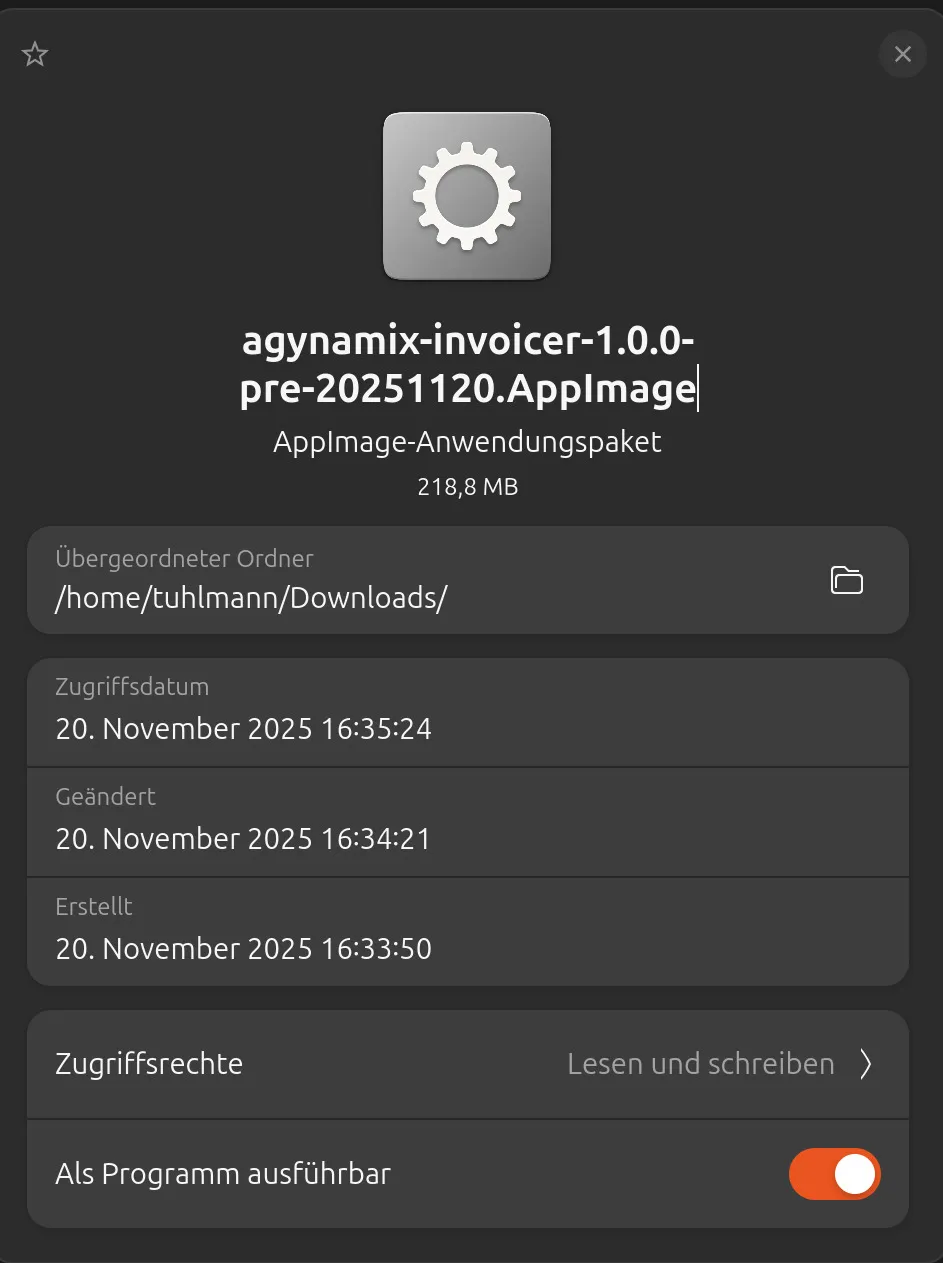
Right-click the AppImage file, select Properties, and check 'Allow executing file as program'
Optional: For better system integration, you can use AppImageLauncher (3rd party application, use at your own risk). It allows you to integrate AppImage applications into your system menu and handle updates.
Found a bug? Got a great idea? Submit Your Feedback Here