Anyone who documents software knows the underlying problem: screenshots age quickly. Once the interface changes in a meaningful way, the user manual can turn into a maintenance task that is easy to postpone.
That was the issue we wanted to address for AGYNAMIX Invoicer. The goal was not simply to produce a few polished images. We wanted a repeatable way to illustrate a full user manual directly from the product.
In hindsight, the real progress only started once we let go of the first approach.
Why the first approach did not hold up
At first we thought in terms of process. Launch the application in a stable environment, navigate to the required states, and capture the full window as faithfully as possible.
On paper, the logic looked sound:
- the manual should show realistic application states
- the screenshots should look like real desktop windows
- the environment should be frozen once and then reused
In practice, that approach ran straight into the usual desktop-software traps:
- native menu bars are not a stable testing surface
- file choosers and external viewers belong to the operating system, not to our Compose UI
- window chrome, scaling, and timing create visual noise rather than reproducibility
- a process-oriented workflow still does not answer the more important question of which screenshot assets exist in the first place
The core mistake was not really technical. It was architectural. We tried to define the capture process before we had modeled the documentation assets themselves.
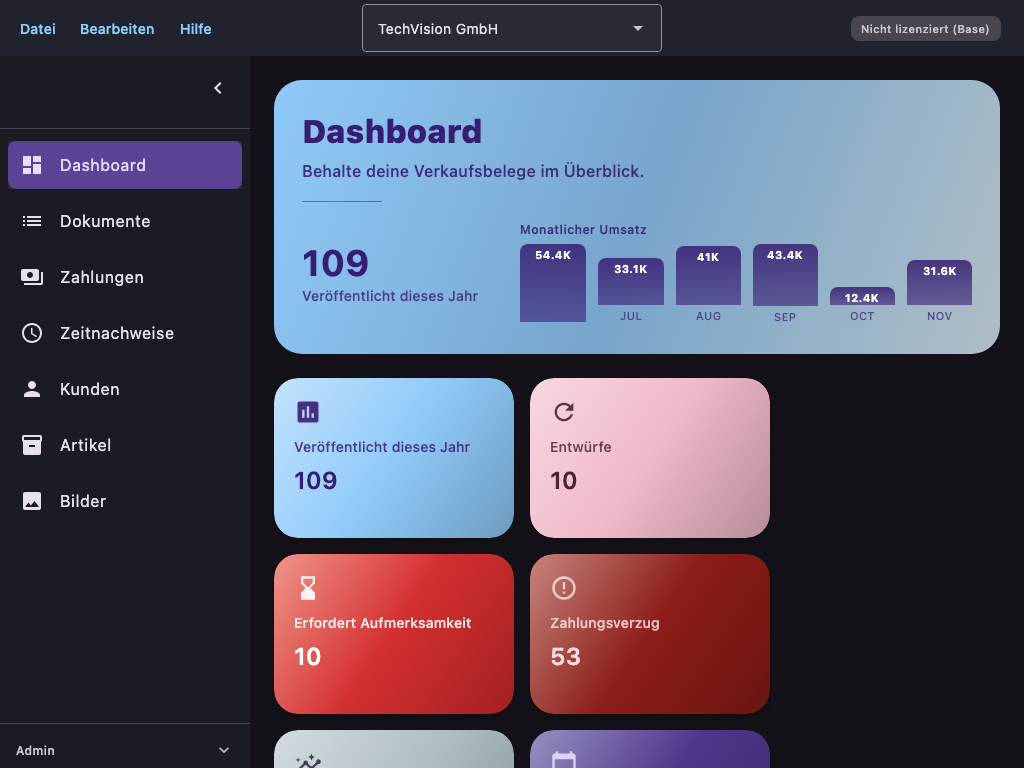
One architectural detail is important for understanding the rest of this story: AGYNAMIX Invoicer is not a web app. It is a native desktop application built with Kotlin and JetBrains Compose for Desktop. That matters because the screenshot pipeline does not capture browser DOM output. It captures controlled Compose UI scenes from a desktop application whose screens, dialogs, and state transitions are exercised through a dedicated test harness.
The actual shift: from the window to the screenshot catalog
The breakthrough came when we reversed the perspective. Instead of asking how to photograph the app, we asked which concrete screenshot artifacts the manual actually needed.
That led to a catalog-driven workflow:
- Parse every screenshot placeholder from the German user manual.
- Give each entry a stable ID, a target path, a classification, and a semantic description.
- Allow automation to write only assets that are declared in the catalog.
- Treat screenshot tests as production steps for those declared assets rather than ad hoc capture scripts.
That shift sounds subtle, but in practice it changed almost everything. The test stopped being the primary anchor. The documentation inventory became the anchor, and the tests became executable derivations of it.
What that became in practice
The user manual was converted into a machine-readable screenshot catalog. As of today, the verified state is:
- 348 cataloged manual entries in total
- 343 automatable screenshots
- 5 generated illustrations handled by a separate workflow
- 336 screenshot tests in the dedicated screenshot package
That was the point where the effort stopped feeling speculative and started feeling manageable.
At that point, the work could be split into named, reviewable scene families:
- dashboard screenshots
- document workflow screenshots
- customer, product, and text block screenshots
- settings, menu bar, and GoBD scenes
- special cases covered through mocks or helper scenes
For larger products, that is the real lever. You no longer hope that a script or agent will somehow find its way through the UI. You build a system of explicit, testable scenes.
Why the test-based approach became reliable
The success did not come from “using tests” alone. Tests by themselves are not enough. What mattered was the combination of three properties.
1. Output was constrained by the catalog
An asset could be written only if its ID existed in the catalog and was classified as automatable. That removed two common failure modes:
- file naming and folder chaos
- hidden drift between manual text, test code, and generated images
The catalog became the authoritative reference, and the tests became controlled build steps.
2. We captured Compose content instead of operating-system windows
The second key decision was to let go of the assumption that every screenshot had to show the full desktop window with native surroundings.
In our case, that meant capturing Compose-rendered application content from the desktop UI layer instead of trying to photograph the surrounding operating-system frame. Because Invoicer follows a structured desktop architecture, those UI states can be assembled and driven far more reliably inside tests than through external full-window automation.
For documentation, the important question is usually not whether the title bar looks authentic. The important question is whether the relevant product state is visible:
- is the filter panel open?
- is the dialog visible?
- does the list contain the expected records?
- are the right status badges and workflow states present?
If those states are controllable in Compose, they can become stable scenes. Stable scenes are much more valuable than fragile full-window captures.
3. The data foundation was deterministic
Automated UI screenshots are only credible when the underlying data is stable. That is why we built a deterministic demo dataset generated via ./gradlew generateDemoDatabase.
This generator is not just a convenience script. It is a deliberately designed fixture source:
- fixed random seed for reproducibility
- realistic German master data
- multiple years of business documents
- text blocks, tax rules, payments, reminders, and exports
- PDF-related data for realistic preview and document scenes
One detail mattered a lot: this dataset is not only for documentation. It is also used for application testing. That is a major difference from documentation workflows where screenshots are taken from a separate half-manual demo installation.
Instead, we reused the same investment twice:
- as reproducible scene material for screenshot generation
- as durable fixture data for the application itself
That makes every hour spent on test data much more valuable.
How quickly the pipeline expanded after that
The real acceleration happened only after the infrastructure existed. Once the catalog, fixture loader, screenshot harness, and the first chapter helpers were in place, scaling the suite became surprisingly fast.
With that model, we were able over the course of a day to build out a screenshot-test suite in the range of roughly 300 automated manual screenshots and systematically produce the corresponding assets.
Today, the verified repository state stands at 336 screenshot tests and 343 automatable screenshot entries. That level of scale would not have been realistic with the original full-window mindset.
The central lesson for me is simple: the bottleneck was never the screenshot itself. The bottleneck was not having the right abstraction. Once the model was correct, scaling the generation became much easier.
What we deliberately kept outside the screenshot pipeline
Another important part of the success was discipline around non-goals.
Not every visual asset should become a screenshot test. We kept three categories distinct:
- ordinary screenshots from Compose-controlled scenes
- screenshots that need mocks or helper scenes for unstable edge cases
- conceptual illustrations handled through a separate generation workflow
That separation mattered because it kept the pipeline honest. If you try to force native menus, external PDF viewers, and conceptual diagrams into one screenshot model, you create unnecessary fragility.
What other projects can take from this
The point of this retrospective is not just that we now have a well-illustrated user manual. The more interesting part is that the underlying pattern transfers quite well.
If your product has visual states that need to be documented, verified, or versioned, this pattern is often reusable:
- Treat visual artifacts as inventoried build outputs rather than manual byproducts.
- Define one source of truth for IDs, target paths, and semantic intent.
- Use deterministic fixture data instead of improvised demo installations.
- Separate real UI states, mock scenes, and illustrations deliberately.
- Enforce that only declared assets may be generated.
This is not limited to user manuals. The same pattern can help with release documentation, onboarding material, audit evidence, QA reference captures, or any repeatable visual record of application behavior.
For web applications, I would generally recommend the same underlying model, but with browser-native tooling. In that world, Playwright is a very sensible choice. The equivalent setup would be:
- define a screenshot catalog with stable ids, target paths, and semantic intent
- create deterministic fixture data or seeded test environments
- drive the UI with Playwright through explicit, named states rather than ad hoc click scripts
- capture bounded page regions or components instead of treating the whole browser window as the primary artifact
- fail the build when generated assets drift from the declared catalog
So yes: for a modern web application, I would usually suggest a Playwright-based variant of the same approach. The stack changes, but the architectural lesson stays the same. The asset inventory should lead, and the automation should derive from it.
Where you can see the current output
The resulting user manuals that already include these generated assets are available here:
One point matters here as well: the process is now reproducible, but the current manual assets are not perfect yet. Some screenshots still contain content or visual defects that are being corrected incrementally. The important change is that these fixes now happen within a repeatable pipeline rather than by falling back to manual screenshot work.
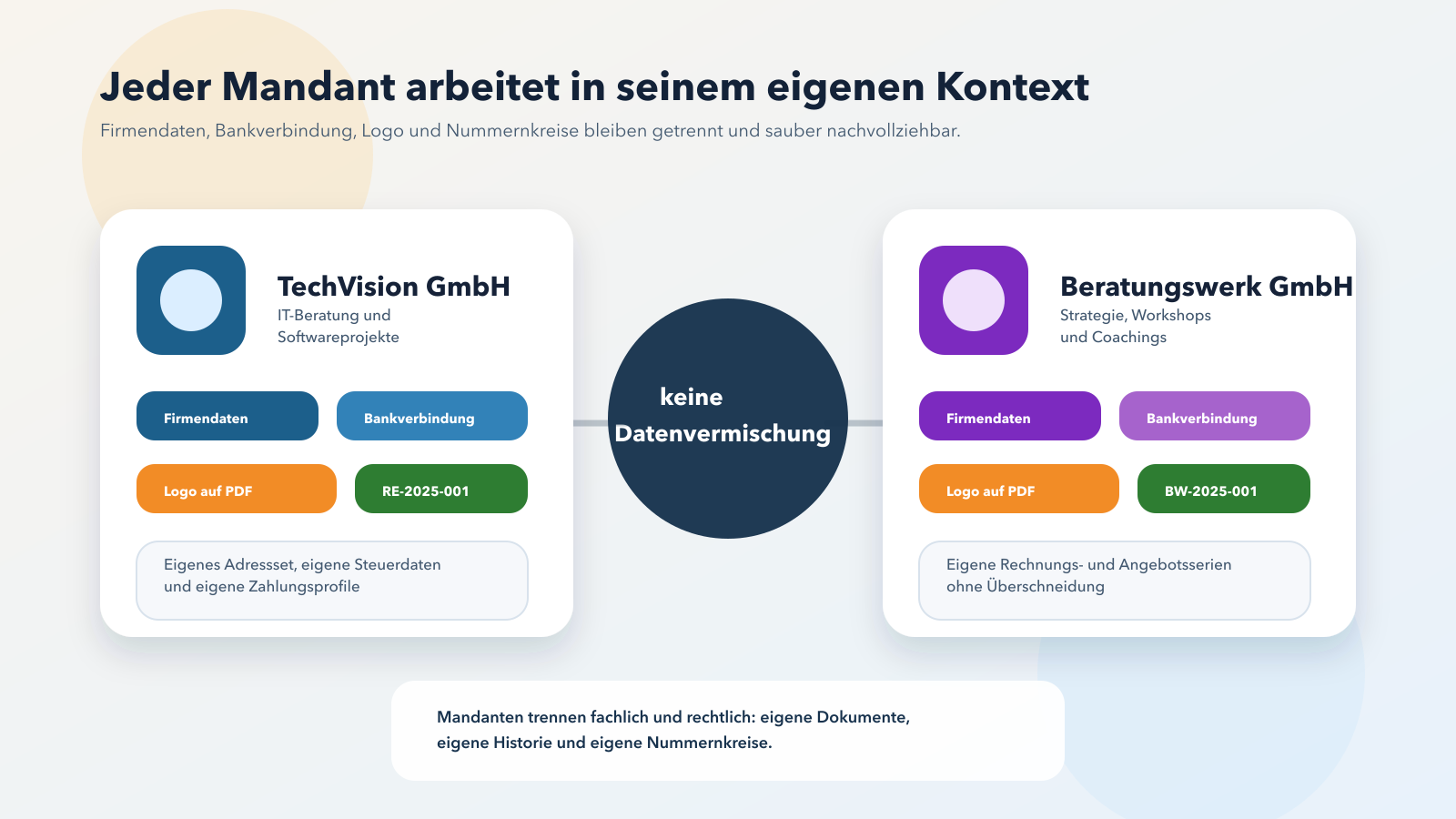
Alongside the 343 automatable screenshots, the manual currently also includes five conceptual illustrations. They come from a separate SVG-based generation pipeline and are then emitted as dedicated build artifacts for the manual.
One first example of an automatically generated manual screenshot:
And one first example of an additional generated conceptual illustration:
Conclusion
I consider the shift from process-oriented full-window capture to a catalog- and test-driven documentation system a very worthwhile engineering decision in this area.
The first approach did not fail because automation was impossible. It failed because it optimized the wrong abstraction. The real product was never the window capture. The real product was the declared documentation asset.
Once that became clear, a vague screenshot problem turned into a reproducible pipeline component.
That is probably the most useful takeaway for other teams: yes, it is entirely possible to generate hundreds of manual screenshots systematically from tests. The important part is building the right model first.
If you want to see the English writing brief that describes the tone behind practical guides like this, you can find the prompt file here.
If you want to explore AGYNAMIX Invoicer in practice, you can find the application here: AGYNAMIX Invoicer.
Note: This post is an engineering retrospective from the development of AGYNAMIX Invoicer. The figures cited here reflect the repository state verified on 2026-03-18.